
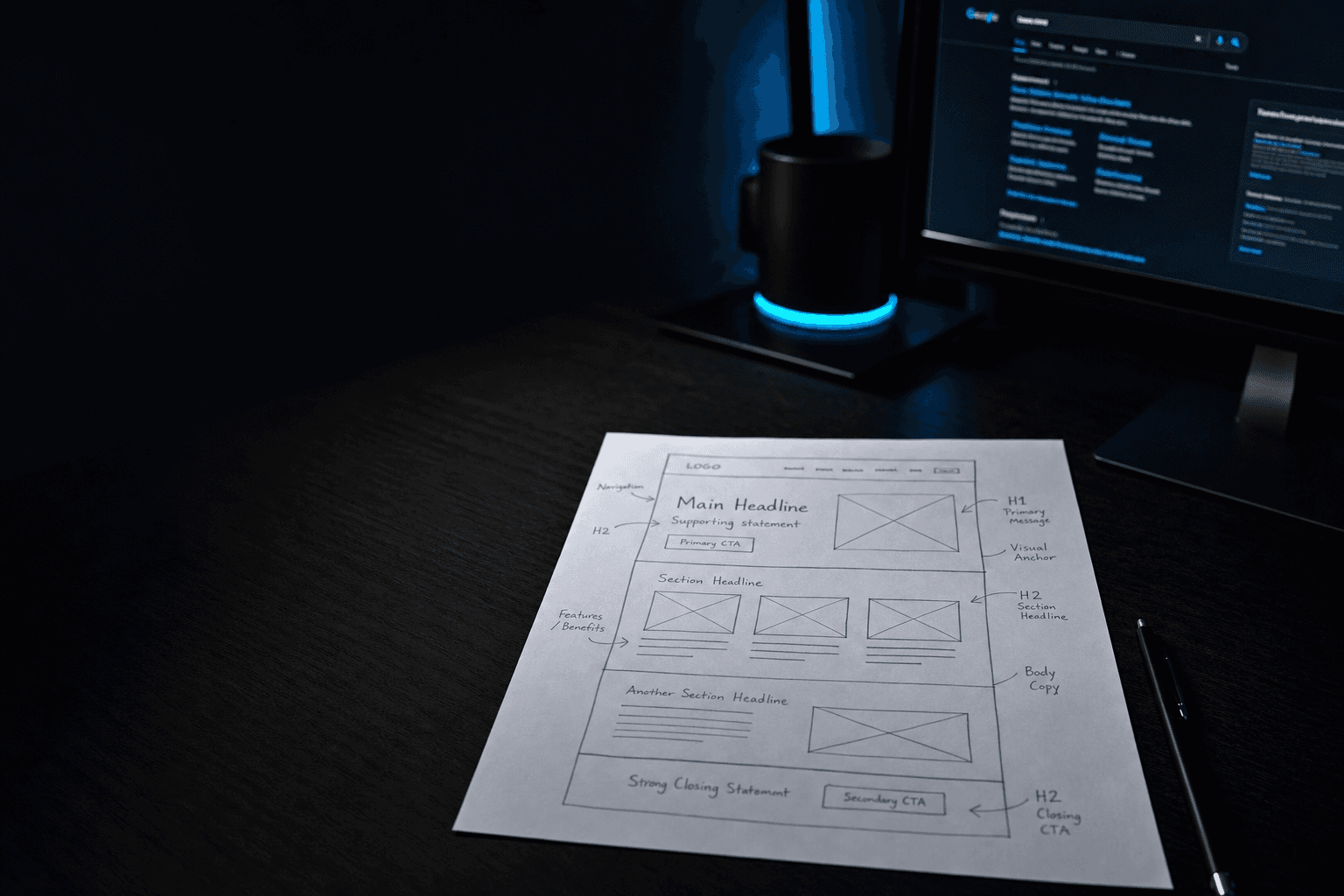
You don't need another flat on-page SEO checklist. Most of them list "factors" with no order and promise everything works the way it did in 2022. It doesn't.
AI indexing changed what "on-page" actually means. A crawler still reads your page top to bottom. Now an AI Overview extractor reads the same nine layers, looking for the answer it'll quote in the result block. We'll walk the page in that order, with the real HTML, schema, and code at every layer.
On-page SEO is everything you change on a single page to help it rank and get cited. Content, HTML, structure, performance. It sits between technical SEO (the plumbing layer of crawlability, sitemaps, and redirects) and off-page SEO (the links and brand mentions you earn elsewhere). In 2026 the job has two outputs. You need to win the classic ten-blue-links SERP, and you need to be the page an AI Overview cites. The same nine layers do both jobs, but the optimisations differ at each layer.
The page we're walking through
Take a typical service page targeting the keyword seo audit for a small UK marketing agency. It lives at /seo-audit/. Domain authority is modest. The page currently sits at the bottom of page two. Below is roughly how the SERP looks for that query today, and how the same nine layers (fixed) would lift our example page.
SEO Audit Services | Example Marketing
We provide professional SEO audit services for businesses. Contact us today for a quote.
What Is On-Page SEO? | Moz
Learn how to optimize a page for search using on-page SEO best practices.
On-Page SEO: The Definitive Guide + FREE Template (2026)
The complete guide to on-page SEO in 2026 with a downloadable checklist.
The example.co.uk listing is the page we'll keep coming back to. Three of its nine layers are doing real work. The other six are vague at best, broken at worst.
1. The URL
A clean URL is short, lowercase, hyphen-separated, and uses the primary keyword phrase once. /seo-audit/ already does that. Two things to actively get right at this layer in 2026: the canonical declaration and the slash policy.
If your site serves a page under more than one URL (with and without trailing slash, with and without ?utm params, on www and non-www), declare which one wins. AI engines treat canonicalisation as a trust signal. Pages that contradict themselves don't get cited.
<link rel="canonical" href="https://www.example.co.uk/seo-audit/" />Pick a trailing-slash policy and apply it consistently across canonical, sitemap, internal links, and the Location: header of any 301. Mixed slash usage is the single most common low-effort on-page bug we find in audits.
2. The <title> tag
Title tags are still Google's strongest on-page signal. Lead with the keyword phrase, end with the brand, write for the dominant intent of the SERP. Google rewrites a large share of the titles it finds in HTML when they don't match intent. Losing control of your title is a sign Google disagrees with your framing.
SEO Audit Services | Example Marketing
SEO Audit: Live SERP Review in 7 Days | Example Marketing
The "after" version includes the keyword, signals what the reader gets (a live SERP review), and gives a concrete time-to-deliverable. It also sits under 60 characters, so the SERP won't truncate it.
<title>SEO Audit: Live SERP Review in 7 Days | Example Marketing</title>3. The head block: meta, OG, schema
Three things matter inside the <head> after the title. The meta description, the Open Graph block, and the structured data. In 2026 the schema is the most important of the three, because it's the part AI engines read most closely.
The meta description isn't a ranking factor on its own, but it owns the click-through rate. Write it for the searcher's question. Include the keyword once. Stay inside 155 to 160 characters.
<meta name="description" content="A 7-day SEO audit covering technical, on-page, and content gaps. Live SERP review, prioritised fix list, and the actual code to ship." />For the structured data, ship at least Article schema (or Service schema for service pages). Add FAQPage schema if the page answers questions. We treat FAQ schema as the single most useful addition for AI Overview citation in 2026, because it hands answer engines structured Q&A pairs they can quote directly.
<script type="application/ld+json">
{
"@context": "https://schema.org",
"@type": "FAQPage",
"mainEntity": [
  {
    "@type": "Question",
    "name": "What does an SEO audit cover?",
    "acceptedAnswer": {
      "@type": "Answer",
      "text": "Technical crawl, on-page review of the top 30 templates, content gap analysis against the live SERP, and a prioritised fix list with the HTML to ship."
    }
  },
  {
    "@type": "Question",
    "name": "How long does an SEO audit take?",
    "acceptedAnswer": {
      "@type": "Answer",
      "text": "Seven working days end-to-end. Day one is the crawl, day seven is the readout call."
    }
  }
]
}
</script>
Validate every schema block in Google's Rich Results Test before it ships. A broken schema fails silently. The page still renders, but the rich result and the AI citation opportunity both disappear.
4. The first 50 words
Around 44% of the citations an LLM hands out come from the first 30% of a page's text. The implication is unambiguous. The opening paragraph is the most load-bearing prose on the page. Write it as a direct, standalone answer to the page's title question. No setup, no history, no "in this article we'll cover".
If your reader could screenshot only your first paragraph and still understand what the page is about, you've written it correctly. That paragraph is also what an AI Overview will quote verbatim. Treat it as a public answer, not an intro.
The example page's current opener, "We provide professional SEO audit services for businesses…", fails this. It tells the reader nothing they didn't already know. Replace it with: "An SEO audit is a structured review of the technical, on-page and content layers of your site, producing a prioritised list of fixes ranked by their effect on ranking. Ours runs over seven days."
5. The H1 and the heading hierarchy
One H1 per page, written close to a phrase real people actually type. The H1 is the strongest topic signal after the <title> and is what AI engines treat as the canonical name of the page's subject. Below the H1, use H2s as the questions a reader would naturally ask. Pull them from the People Also Ask block before drafting.
<h1>SEO Audit Services for UK SMBs</h1>

<h2>What does an SEO audit cover?</h2>
<h2>How long does an SEO audit take?</h2>
<h2>What does the deliverable actually look like?</h2>
<h2>How much does an SEO audit cost?</h2>
Each H2 phrased as a real PAA question doubles as an FAQ schema candidate and an extractable answer block for an AI Overview. The first sentence under each H2 should answer the H2 in 30 to 50 words.
6. The body
The body of the page is where most of the visible value lives. It's also where most pages waste it. Three rules, in order of impact.
Lead every section with the answer. Inverted pyramid. A reader who scans only the first sentence under each H2 should still know what you're claiming. Saving the verdict for the last paragraph is a habit from a previous decade of SEO writing. It actively hurts AI Overview citation now.
Use scannable units. Short paragraphs of two to four sentences. Bullet lists where items are parallel. Tables for any comparison of three or more attributes. AI Overview extraction logic favours dense, structured chunks over wandering prose. Walls of text don't get cited.
Cite outbound. When you make a claim, link to the source. Sites that cite their sources are cited more often in return. AI engines treat outbound citation the same way humans treat referenced research papers: as a trust signal. One credible primary source beats five blog-roll links.
7. Internal links
Three or four contextual internal links per piece, capped at roughly one per 200 to 300 words. Each one should be the next thing the reader would naturally click, not a dump of "related services" at the bottom. Internal links distribute equity and help AI engines map the topical neighbourhood of your site.
<p>An audit is the first step in any SEO engagement.
The next is execution. See how we
<a href="/seo-services/">deliver on-page SEO</a>
once an audit identifies the priorities.</p>
Anchor text should describe the destination, not the source. "Click here" and "learn more" are wasted signal. "On-page SEO services" tells the crawler what the destination is about.
8. Images
Every image earns its place by adding information the prose can't. Diagrams, screenshots, original photography. Stock photos of teams shaking hands are content fluff, and AI engines treat them as such. At the markup layer, four things to get right.
<img
src="/img/seo-audit-deliverable.webp"
alt="A sample page from an SEO audit report showing the prioritised fix list and technical scores"
width="1200"
height="800"
loading="lazy"
/>
The alt describes function, not appearance. width and height prevent cumulative layout shift. loading="lazy" defers off-screen images. The .webp extension (or .avif) compresses better than .jpg for the same visual quality. None of this is new in 2026. It's just the markup most CMSs still ship broken by default.
9. The verification step
The last layer of on-page SEO is the one most teams skip. Checking that machines see what you think they see. Three commands, in order. Run them on every page you publish, the day you publish.
# 1. Does the page render server-side?
curl -sA "Googlebot" https://www.example.co.uk/seo-audit/ | grep -E "<h1>|<title>"

# 2. Does the page pass Core Web Vitals on mobile?
npx unlighthouse --site https://www.example.co.uk/seo-audit/

# 3. Does the schema validate?
open "https://search.google.com/test/rich-results?url=https://www.example.co.uk/seo-audit/"
If the first command returns empty tags, your page is JavaScript-rendered and AI crawlers are seeing an empty shell. Brief your dev team on server-side rendering before doing anything else on-page. If the Lighthouse score fails, fix speed first. If the schema test errors, fix the JSON-LD before re-deploying.
Where to start tomorrow
Pick one page that should be ranking better than it is. Walk it through the nine layers above, in order. Stop at the first layer that fails, fix that one, and ship. We see most pages reveal three or four fixable issues in under an hour, and a single corrected title or schema block can move rankings inside a fortnight.
On-page SEO has always been about helping your content appear in search results. Today, the same fundamentals boost your visibility in agentic search, where AI tools scan the web, pull sources, and generate answers for users.
The fundamentals didn't move. The audience did, and half of it now reads HTML instead of prose.
A 7-day SEO audit, layer by layerWe walk every priority page through the nine layers above and hand back a prioritised fix list with the exact HTML to ship. Built for SMB and mid-market clients across the UK, AU, and TH.See our SEO serviceFAQ
Does the order of elements inside the head matter?
Not for ranking, but it matters for resilience. Put <meta charset> first, then <title>, then <meta name="viewport">, then everything else. Some browsers stop parsing the <head> on the first script that crashes, and you want your title and meta description to land before that point.
Should canonical URLs include or exclude the trailing slash?
Either is fine. Pick one and apply it consistently across the canonical tag, the sitemap, every internal link, and the destination of any 301. Mixed slash usage tells search engines you don't know which page is canonical, which is a quiet ranking dampener on most CMSs.
Where should I place FAQ schema, in the head or the body?
Either works. The <head> is the cleaner default for purely structured data. The <body> is fine if your CMS only lets you inject content there, as long as the JSON-LD itself is valid. AI engines parse both. What matters is that the questions in the schema match the questions actually rendered on the page.
Can a page have more than one H1?
Modern HTML5 technically allows it. SEO practice still says no. Multiple H1s dilute the topic signal and break the heading hierarchy AI engines use to extract structure. One H1 per page, full stop.
How do I check what an AI crawler actually sees on my page?
Curl the URL with an AI-bot user agent (-A "Googlebot", -A "ChatGPT-User") and grep for the elements you expect: title, H1, key paragraphs, schema. If the response is an empty shell, your content is JavaScript-rendered and you need server-side rendering or static generation before any on-page work matters.
How often should I refresh on-page SEO on an existing page?
Cornerstone pages: every 12 to 18 months as a baseline, sooner if the SERP for the target keyword shifts substantially. Refresh means real updates. New data, restructured sections, refreshed code samples. Not a bumped date stamp on otherwise identical content. AI engines spot the difference, and citation rates decay fast on stale pages.


